Cloud Migration Checklist | Microsoft Azure Migration

Cloud Migration Checklist


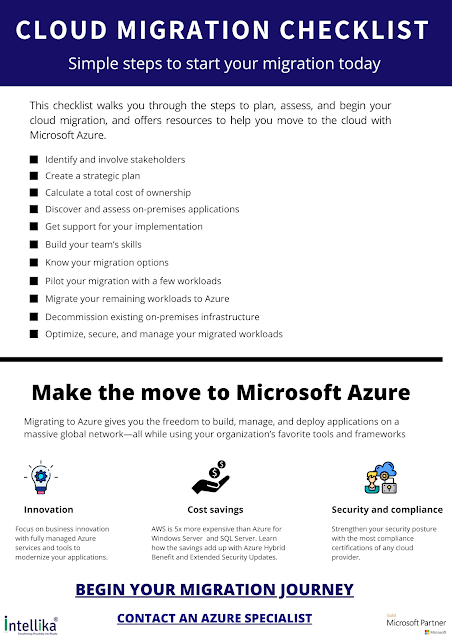
This checklist walks you through the steps to plan, assess, and begin your cloud migration, and offers resources to help you move to the cloud with Microsoft Azure.

Cloud Migration Checklist PDF

Comments

  1. Nice article you have shared over here... thanks for sharing this informative content.
    mobile sales tool

    ReplyDelete
  2. Informative content about cloud migration checklist. This content given a clarity about cloud migration and in this part cloud migration services companies helps for the perfect process. Waiting for your upcoming contents.

    ReplyDelete

Post a Comment

Popular posts from this blog

Top 10 Advantages of Cloud Computing

Cloud Computing Advantages   Top 10 Advantages of Cloud Computing 1) Less Costs The services are free from capital expenditure. There are no huge costs of hardware in cloud computing. You just have to pay as you operate it, and enjoy the model based on your subscription plan. 2) 24*7 Support Most of the cloud providers are truly reliable in offering their services, with most of them maintaining on uptime of 99.9%. 3) Flexibility in Capacity It offers flexible facility which could be turned off up or down as per the circumstances of the user. 4) All over Functioning Cloud Computing offers yet another advantage of working from anywhere across the globe, as long as you have the internet. 5) Automated update on Software In cloud computing server supplier regularly update your software including the updates on security, so that you do not agonize on wasting your crucial time on maintaining the system. 6) Security Cloud...

Why use Microsoft PowerApps?

Why use Microsoft PowerApps? Microsoft PowerApps Services Seamless Digitization With Microsoft PowerApps, the journey to digitization is seamless. So, whether you are a traditional business on the verge of going digital or a digital powerhouse looking to scale up, PowerApps will leverage your business logic and advanced capabilities to rework your traditional business processes to digital, machine-driven processes. Responsive by default Further, apps engineered through PowerApps are responsive by default and always run seamlessly irrespective of the browser or mobile devices (phone or tablet). Code-free development PowerApps "democratizes" the custom business app-building expertise by providing users the ability to make feature-rich, custom business apps without writing a single line of code. Rapid Development Environment PowerApps provide a platform and environment that equips professional developers with knowledge banks, data, ready to use business...